I had earlier shared a trick on how to get rid of repeated and intrusive

trying to push Windows 10 to Windows 7 and 8.1 users and it is getting harder for users to prevent
the upgrade from getting installed automatically.
annoying Windows 10 upgrade prompts from Microsoft on Windows 7 and Windows 8 machines, but Micrsosoft seems to be getting more aggressive
the upgrade from getting installed automatically.
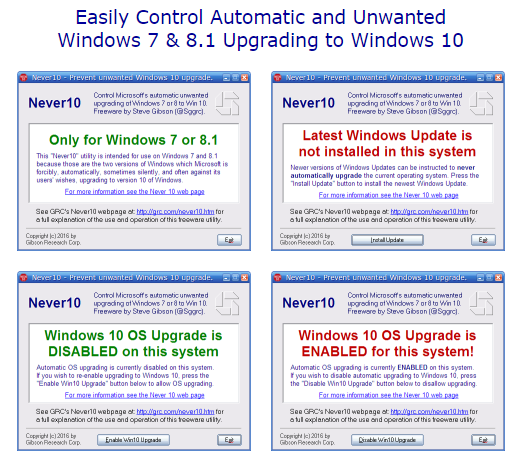
Responding to the significant user displeasure regarding the tactics used to push down the major OS upgrade down the throats of Windows users, Microsoft added features to its Windows Update facility which allowed it to be configured and not forcibly upgrade qualifying Windows 7 and 8.1 operating systems to Windows 10. However, Microsoft did not make this configuration simple. It requires the use of the group policy editor (which is not present in some qualifying systems) and/or the system registry. In other words, they created some deep internal configuration options but chose not to provide a simple user-interface to give their users the choice. Freeware utility Never10 allows users use the very same configuration in a simple to use manner. A single click is all it takes to "opt-out" from the Windows 10 upgrade prompts the Microsoft recommended way. The elegance of this “Never 10” utility, is that it does not install ANY software of its own.
Download Never10 for Windows :


